A design challenge created to help communities reduce energy consumption through an incentivizing competition.
Project Background
“Battle of the Buildings” was a project that I completed individually as part of an interview design challenge. The project was originally designed to be completed as part of a group within a 5 day Product Design Sprint.
Product Statement
Create a solution to raise tenant awareness of energy consumption through a transparent community-wide consumption report and implement a neighborhood wide competition to reward tenants who use the least amount of energy on a monthly basis.
The Challenge
”We are a property management company in New York City looking to reduce our overall energy consumption to save money and maintain our status as a clean building. Currently, we own and manage 6 buildings with about 200 tenants total.
We believe that if our tenants are more aware of their energy consumption, and pit against each other in a competition to use less energy, they will be motivated to use less. We would like to create a service that allows our tenants to see their energy consumption and the consumption of their neighbors, and then reward the tenants that use the least amount of energy.
Please provide us with a prototype, wire frame, a written solutions or any deliverable that you believe will help us determine what our next steps should be, and if we should work together.”
The Design Process
Phase 0 - Prepare
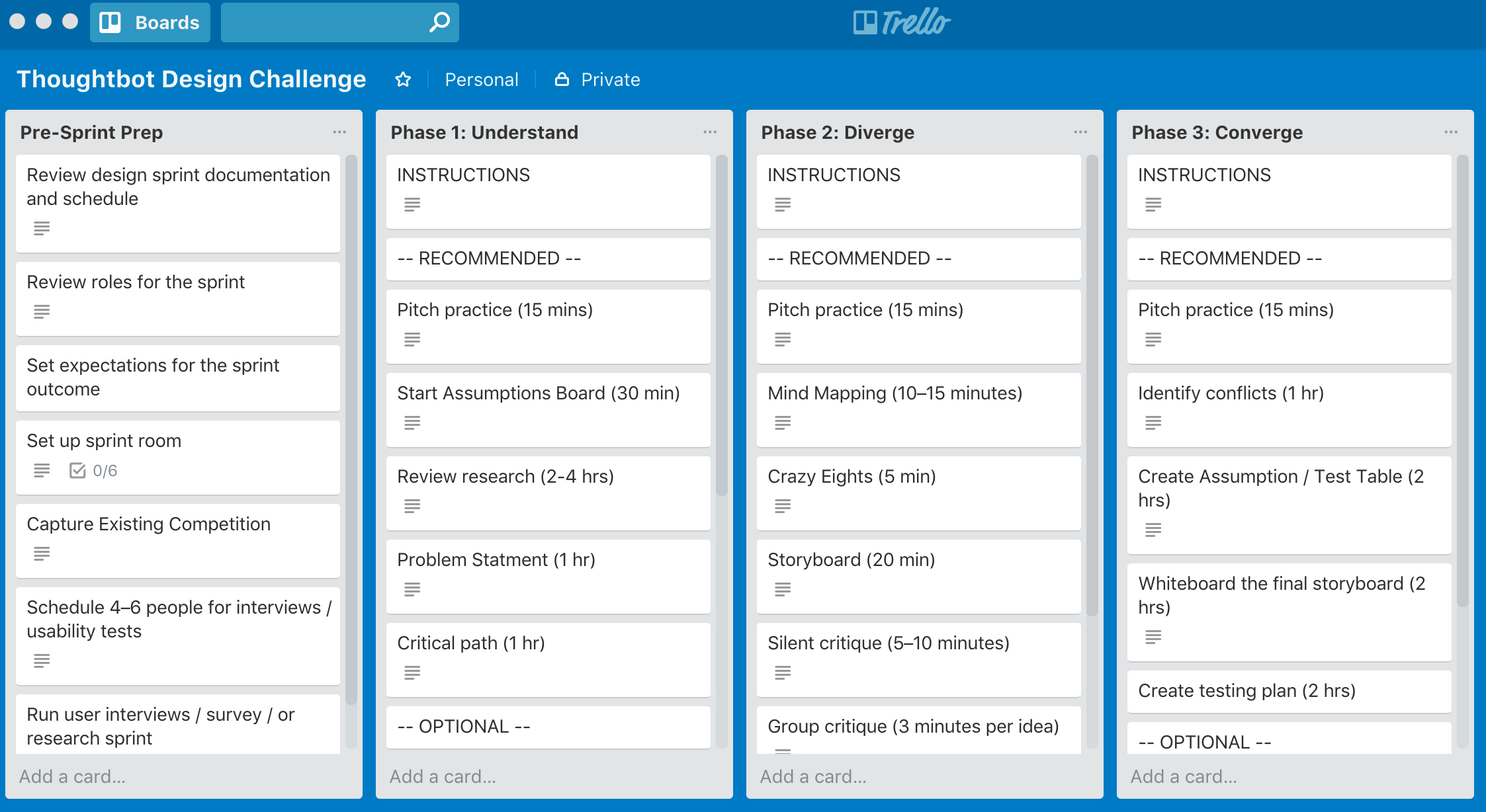
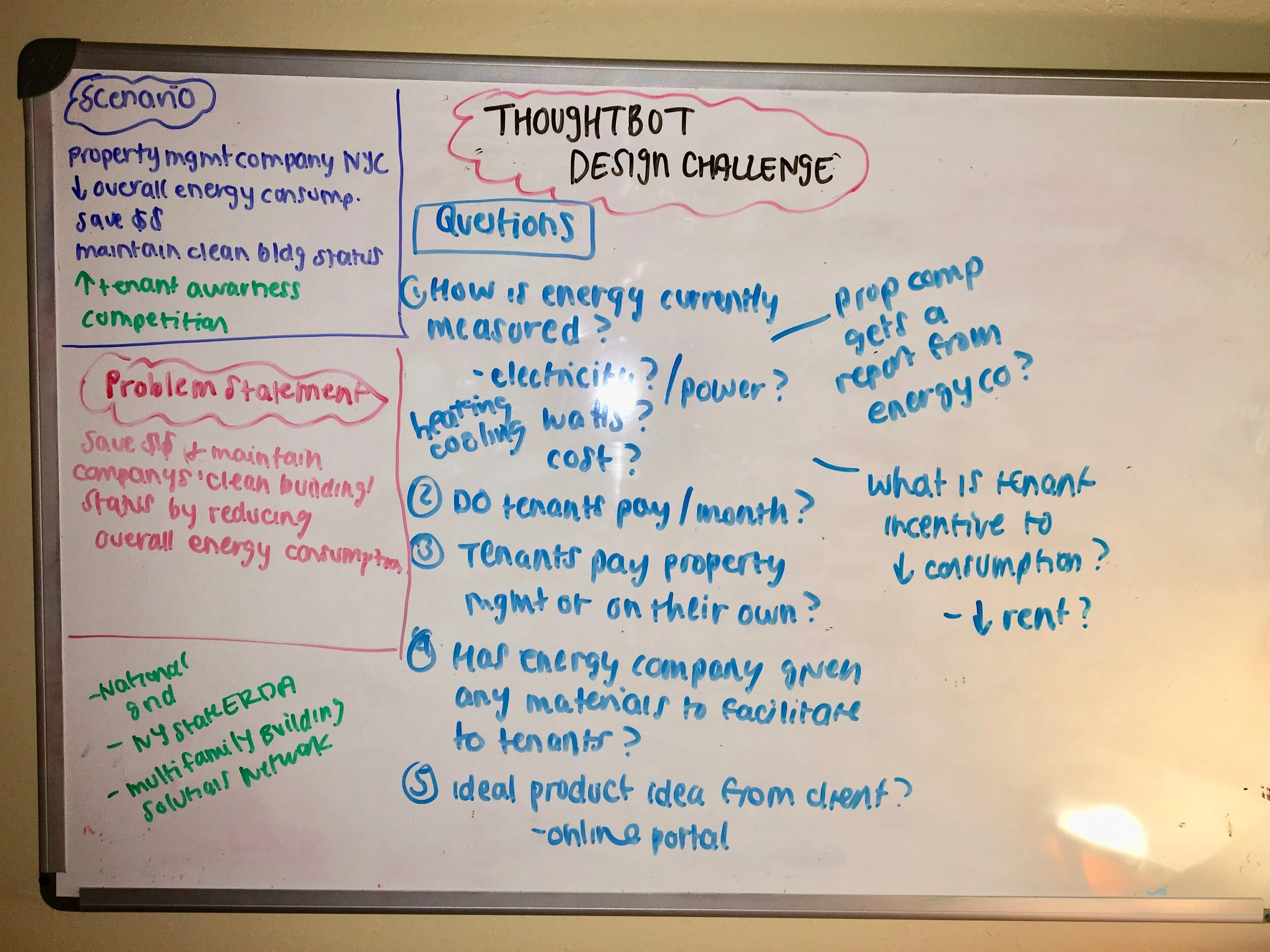
During this phase I created a Trello board to help organize my design tasks. I also brainstormed a list of initial questions to gain clarity on what the client was looking for in their solution.
Questions for the client
How is your building’s energy currently being measured?
What is the current average amount of money tenants are paying for energy consumption?
How do tenants currently pay for their utilities? Online portal? Directly to the utility company?
Besides a lower utility bill, what is the tenant’s incentive to reduce their energy consumption?
Phase 1 - Research
The first phase of a design sprint is about gathering all existing information/knowledge on the business, the customer and the problem and exposing any assumptions and knowledge gaps. During this phase, I worked to define the business, identified the product users, and determined how my product would solve the user problem.
Read more research here
-
Assumptions
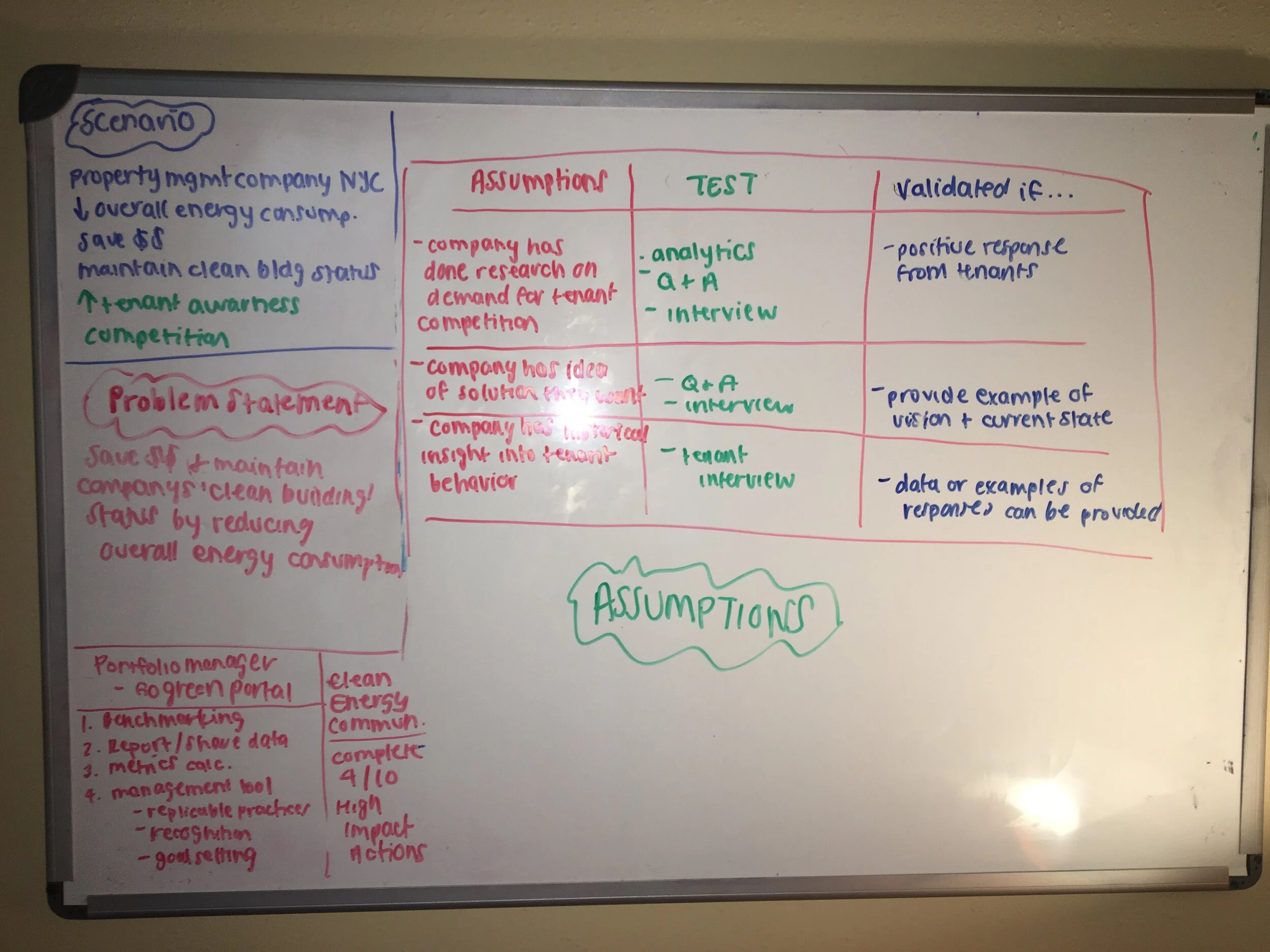
Without actual client interaction, there were many assumptions I had to make about this project
-
Research
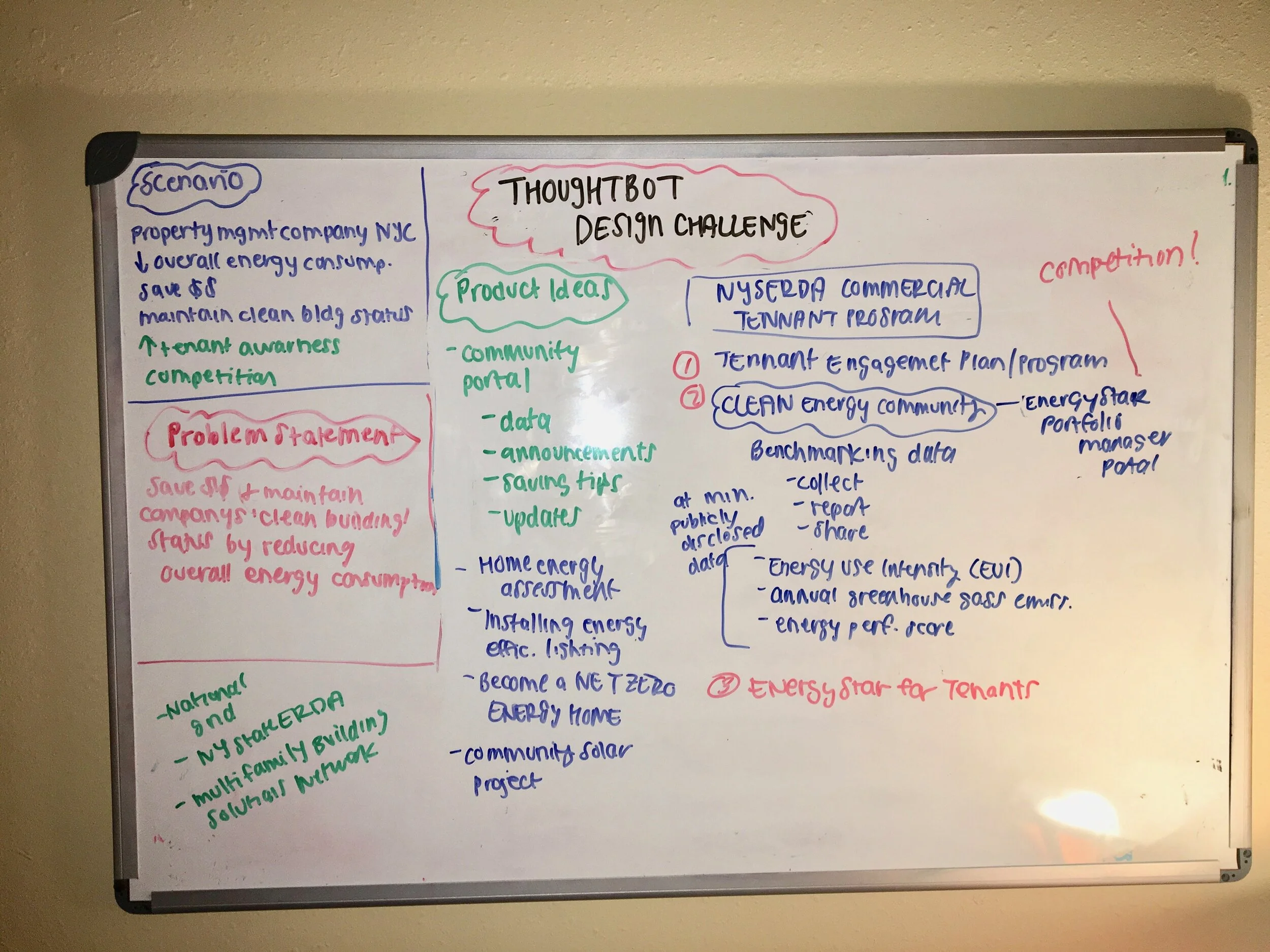
Learn more about the NYC area to see if there are already exisiting competitions in the city.
-
User Story Map
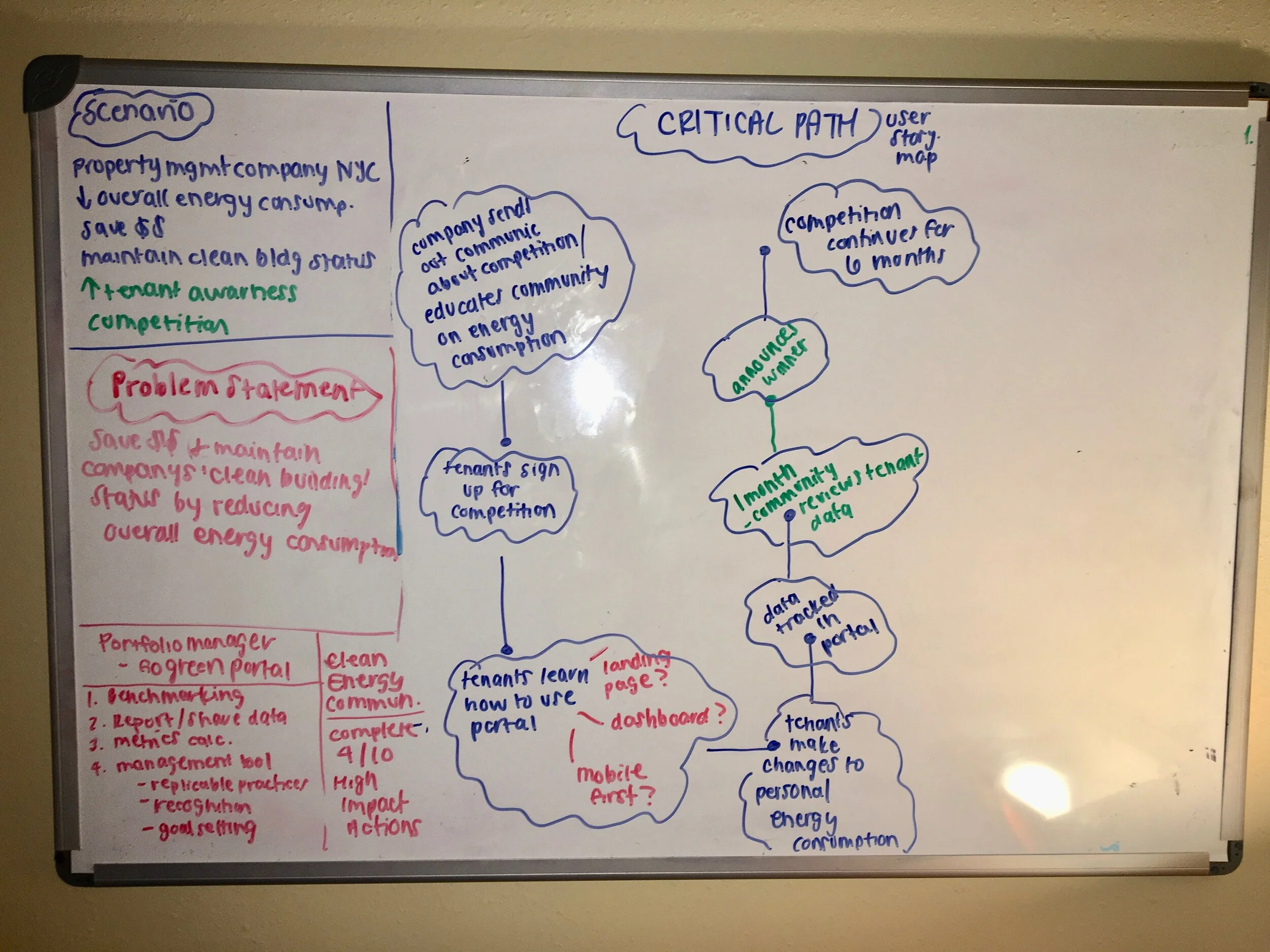
Illuminate the critical path that a user might experience.
Phase 2 - Diverge
The goal of this design phase was to explore as many ideas as possible, regardless of how realistic, feasible or viable they may or may not be. The bulk of my time was spent in this phase. From there, I was able to confidently eliminate options that were not viable for building a successful product
Mind Map
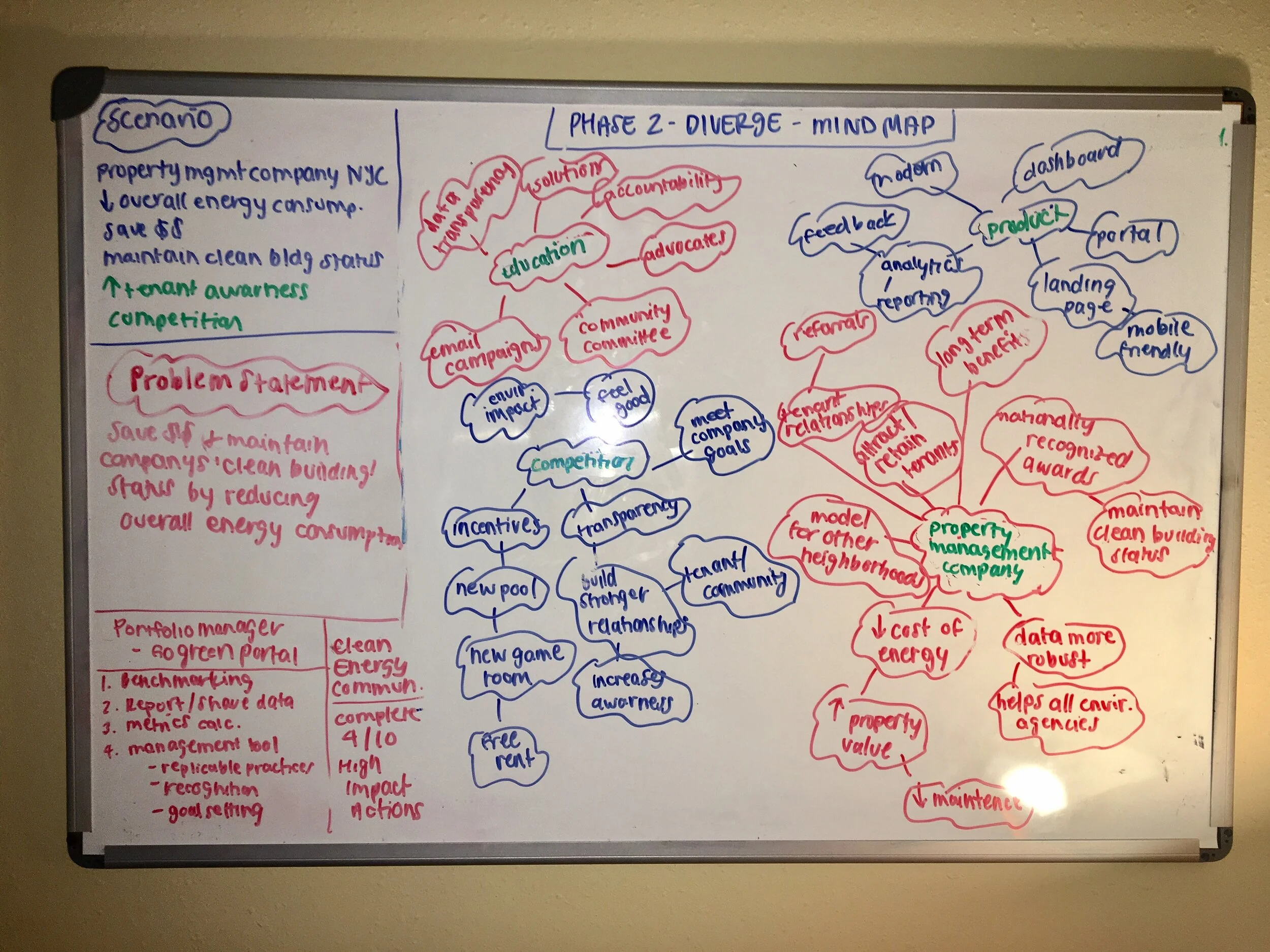
I used the Mind Map exercise to aid me in exploring ideas, brainstorming, and note-taking.
Story Boarding
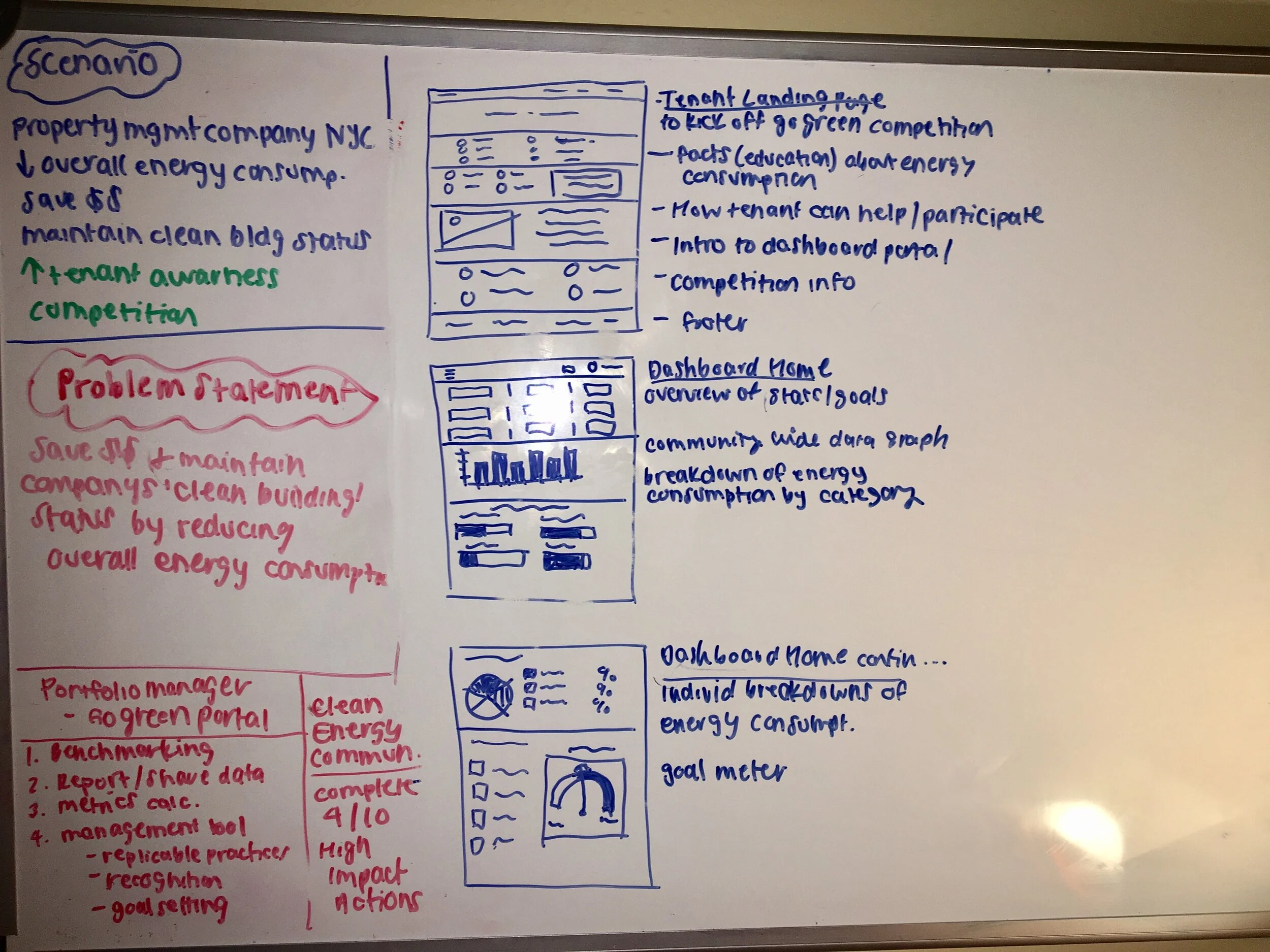
Storyboards are great to use when you need to come up with multiple solutions for a problem. Storyboards allow people to develop those early ideas further by giving them more time to dive into details of the user interaction.
Phase 3 - Converge
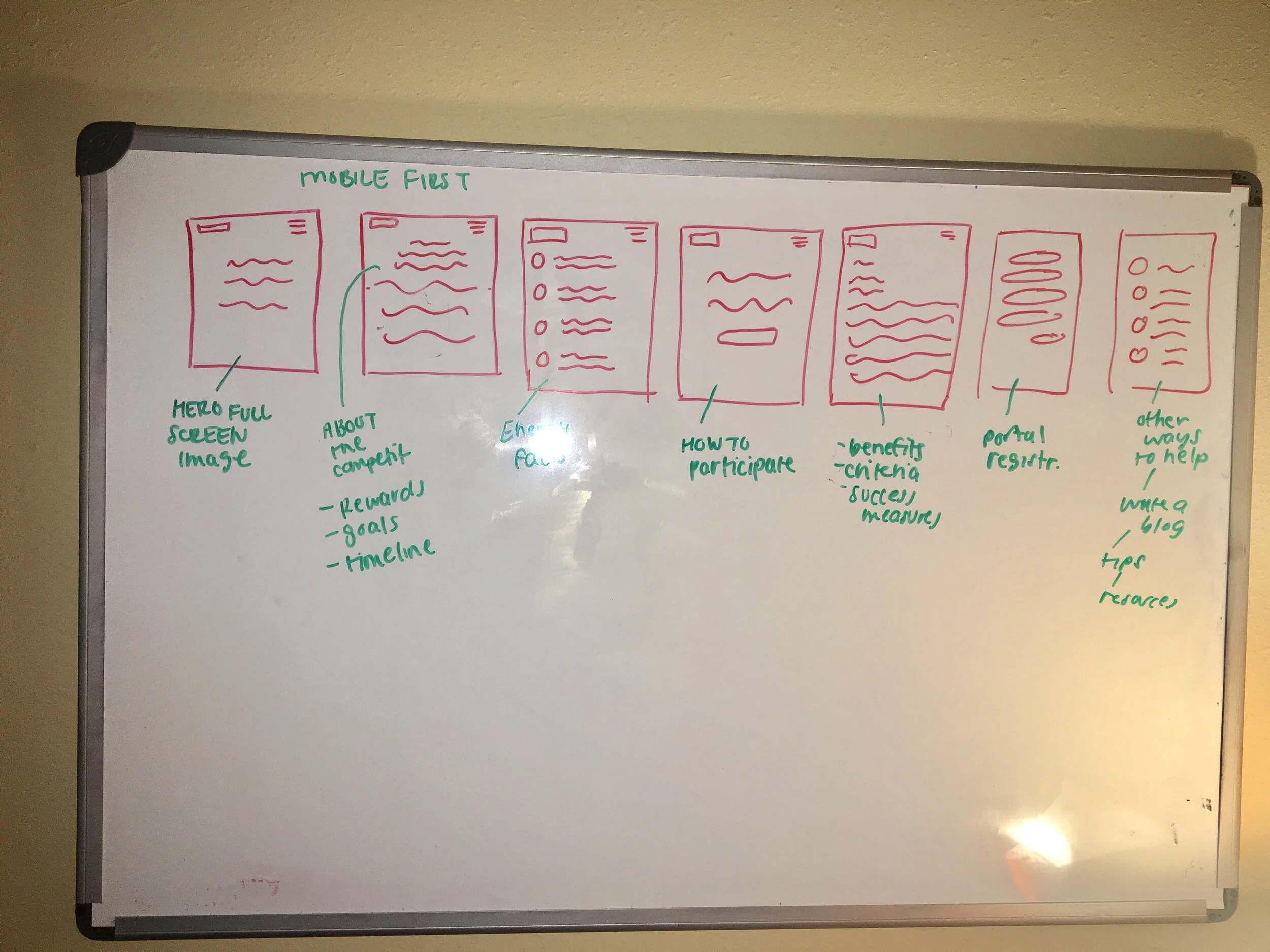
During the design process, the goal of the Converge phase is to take all of the possibilities that have been exposed during the first two phases and create wireframes that will later be used to create a high fidelity prototype.
Phase 4 - Prototype
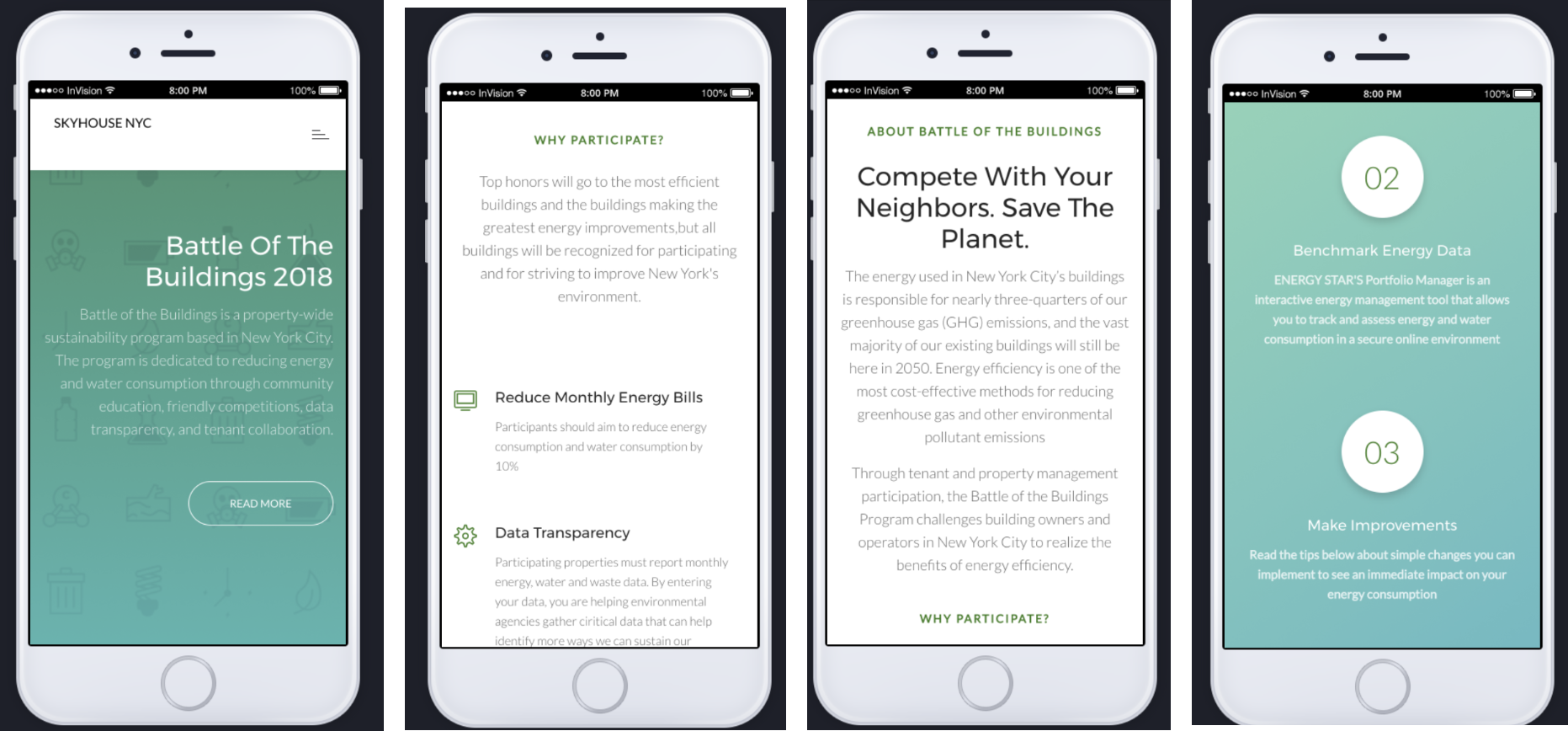
During this phase, I created a mobile prototype using InVision.
Future Roadmap and Lessons Learned
User Testing
Ideally, the next step of the design process would be to perform user testing on the prototype in order to validate/invalidate assumptions. From there, I could refine the wireframes and mobile prototype.
What I learned
New tools such as InVision
I am actually implementing some of the “Green” initiatives in my own day-to-day life such as turning off lights and unplugging appliances when not in use